To strengthen the transparency and security of its software supply chain, SK Telecom asks suppliers to submit an SBOM (Software Bill of Materials) for all software components and dependencies they deliver. This guide explains how suppliers can generate and submit an SBOM in a format that meets SK Telecom’s security policy.
Quick Start: Five Steps to Submission
Check the accepted formats (CycloneDX JSON recommended) and required data fields in the Submission Requirements.
Generate the SBOM with BomLens. If you already run your own tool chain, see the open source tool guidance in How to Generate an SBOM instead.
If you deliver a server with an application on top of an OS, follow the server delivery section of How to Generate an SBOM: generate each layer and submit them together.
If you supply commercial software or a finished product made by a third party and have no access to the source code, skip steps 2–3 and follow Commercial Software to obtain the SBOM from the manufacturer and submit it. If your submission is rejected, check Common Rejection Reasons for the cause and how to fix it.
Scope of Application
All suppliers (including developers and resellers) that deliver the following types of software are subject to these guidelines.
Source code: Applications written in Java, Python, JavaScript, Go, C/C++, etc.
Container images: Docker images or OCI-compliant containers
Executables: Compiled binaries (.jar, .dll, .so) and libraries
Servers: A system combining an OS (rootfs and installed packages) with an application
Commercial software and finished products: packaged software or appliances made by a third party (including reseller and distributor deliveries)
SBOM Submission Process
We ask suppliers to follow the procedure below, from the time of contract through final delivery.
flowchart TD
    A[Contract Review] --> B["Software Development/Build"]
    B --> C{Generate SBOM}
    C -->|Use SKT-provided tool| D[Use BomLens]
    C -->|Use your own tool| E["Use open source tools<br>(cdxgen, Syft, etc.)"]
    C -->|Commercial finished product| K[Obtain the manufacturer's SBOM]
    D --> F["Data Validation (PURL Check)"]
    E --> F
    K --> F
    F --> G["Submit SBOM (Email/Designated channel)"]
    G --> H[SKT Security Review]
    H -->|Approved| I[Delivery Complete]
    H -->|Rejected| J[Remediate and Resubmit]
    J --> F

    classDef start fill:#F2F2F2,stroke:#171717,color:#171717,stroke-width:1.5px
    classDef proc fill:#ffffff,stroke:#c8c8c8,color:#171717,stroke-width:1px
    classDef decision fill:#FFF3CD,stroke:#E0A800,color:#5A4100,stroke-width:1.5px
    classDef good fill:#D9F0E4,stroke:#00A651,color:#0A5A32,stroke-width:1.5px
    classDef danger fill:#FDE1E7,stroke:#EA002C,color:#8A0019,stroke-width:1.5px
    classDef vendor fill:#FFF3CD,stroke:#E0A800,color:#5A4100,stroke-width:1.5px

    class A start
    class B,E,F,G proc
    class C,H decision
    class D,I good
    class J danger
    class K vendor
Defines in detail the standard SBOM format, required information, and PURL identifier rules under SK Telecom policy.
1. Standard Data Formats
SK Telecom supports both formats that have become established as global standards. Suppliers may choose and submit the format supported by the tool they use.
PURL (Package URL, a standard identifier that points to a software package; pkg: form, a type defined by the spec, and no empty namespace where the type requires one)
The SBOM document you submit must include the following information. Missing information may result in rejection.
2.1 Metadata
Information about the document itself and the generation tool.
Timestamp: Generation date and time (ISO 8601 format)
Tool Info: Vendor, name, and version of the generation tool (e.g., CycloneDX-Maven-Plugin v2.7.9)
Component Info: Name and version of the top-level software being delivered
The Component Info name must be a unique value that identifies the specific device or product. An empty value, a meaningless value such as ., or a fixed path value that a generation tool fills in automatically (e.g., /scan) will collide with a different submission and cause registration to be rejected. SK Telecom treats this value as an identifier that must be unique across all submissions.
Matching the File Name
When you submit multiple layers (OS, application, and so on), each layer’s top-level component name and version must match the leading part of that SBOM’s file name ({name}_{version}). For example, if the file name is myserver-os_1.0.0_bom.json, metadata.component.name (CycloneDX) or DocumentName (SPDX) must be myserver-os and the version must be 1.0.0.
Keep this name the same on a resubmission. It is the identity of the scan, so a changed name leaves the previous submission in place and vulnerabilities you have already fixed keep being counted.
Generating with BomLens fills this field in automatically from --project and --version, so you do not need to edit it by hand. For the per-layer file naming rule, see the “Submit each layer” section of How to Generate an SBOM.
Generation Tool Specification Format
Generation tool information must be recorded in the following fields depending on the format.
SPDX: Record the tool name and version in the creationInfo.creators field with the Tool: prefix
CycloneDX: Record vendor, name, and version in the metadata.tools array
// SPDX creationInfo example
"creationInfo":{"created":"2026-04-06T03:22:00Z","creators":["Tool: Syft-0.98.0","Organization: VendorName"]}
2.2 Components
Information about the individual libraries that make up the software.
Name: Component name (e.g., commons-lang3)
Version: Component version (e.g., 3.12.0) — required. Record the exact version in SPDX’s versionInfo field or CycloneDX’s version field; without a version, vulnerability mapping is impossible.
PURL (Package URL): [Required] Package identifier
2.3 Dependency Scope
Important: Transitive dependencies must be included.
SK Telecom analyzes vulnerabilities based on the submitted SBOM. An SBOM that includes only direct dependencies may miss hidden vulnerabilities and may therefore be rejected.
Dependency Type
Description
Inclusion
Direct
Libraries explicitly declared by the project
Required
Transitive
Libraries that the direct dependencies in turn depend on
Required
Dev-only
Libraries not included at runtime, such as test and build tools
Inclusion recommended
What are transitive dependencies?
For example, if a project uses library-A directly, and library-A internally uses library-B, then library-B is a transitive dependency. Even if library-B has a vulnerability, it cannot be detected unless it is included in the SBOM.
Prerequisites for generating a correct SBOM
For transitive dependencies to be included accurately, the SBOM must be generated with the build (or package installation) completed. When only source code is present, transitive dependencies may be omitted.
Java (Maven): Generate after running mvn package or mvn dependency:resolve
Java (Gradle): Generate after running ./gradlew dependencies
Python: Generate after pip install -r requirements.txt (with the virtual environment activated)
Node.js: Generate after running npm install or yarn install
Go: Generate after running go mod download
For how to include transitive dependencies with each tool, refer to the Using Open Source Tools guide.
3. Package URL (PURL) Compliance
PURL (Package URL) is a standard URL format for uniquely identifying a software package. SK Telecom’s vulnerability analysis system operates based on PURL, so a valid PURL must be included for every component.
Here, “component” means an entry in the SBOM’s components list (an individual library or package); it does not apply to the top-level product itself (the component information in the SBOM’s metadata).
A PURL must be in the standard format beginning with the pkg: prefix. Free text such as name:version or org/repo:tag is not allowed; in such cases vulnerability mapping is impossible and the SBOM will be rejected.
Some PURLs look well formed and still fail to match. The three rules below are not caught by schema validation, so check them with particular care.
3.1 Types Defined by the Spec
The type slot may only hold a type defined by the Package URL specification. These are names such as maven, npm, pypi and rpm that identify both the ecosystem and the repository to query; the full list is in purl-types-index.json in the specification repository.
An invented name (for example pkg:applications/java@11.0.25) passes format validation, but there is no way to tell which repository to query, so matching fails. pkg:generic/, which identifies no ecosystem, is not allowed for the same reason.
3.2 Types That Require a Namespace
The namespace is the slot between the type and the package name. The specification makes it required for these types:
When that slot is empty the identifier looks well formed but names no specific package, so matching fails and the SBOM is rejected. The two patterns seen most often in actual intake are these:
Maven: the groupId belongs in the namespace. pkg:maven/org.slf4j/jcl-over-slf4j@2.0.15 is the correct form; pkg:maven/org.slf4j.jcl-over-slf4j@2.0.15, with the groupId and artifactId joined by a dot, is a coordinate that does not exist in the repository and is rejected.
OS packages (rpm, deb, apk): the distribution belongs in the namespace (pkg:rpm/rhel/bind@9.11.36-16.el8_10.6).
The distribution value is only recognized in that position (the namespace). Placing it in a query parameter after the question mark (e.g. ?distro=rhel-8.10) is not accepted; that value is treated as auxiliary information and is not used for matching, so an empty namespace is rejected the same way as above.
3.3 What Belongs in the Namespace
The namespace must hold the identifier the repository itself uses. A human-readable company name or a URL is not an identifier. When a generation tool copies the vendor string from a manifest into the groupId slot, the result looks like pkg:maven/The%2BApache%2BSoftware%2BFoundation/poi@5.4.1 or pkg:maven/http%3A/www.jboss.org/jbossxts@1.1; neither coordinate exists in the repository, so neither matches. For Maven, record the real groupId, as in pkg:maven/org.apache.poi/poi@5.4.1.
Explains how to generate an SBOM that meets SK Telecom policy using BomLens.
BomLens
BomLens is an open source tool that lets suppliers generate deliverables that meet SK Telecom policy in a Docker environment. You do not need to install per-language tools locally; it analyzes multiple languages and produces a CycloneDX (JSON) deliverable.
This page covers only the quick start. For installation, the full set of options, language-specific guides, input scenarios, the web UI, and other details, see the official repository documentation.
Bug reports, feature suggestions, and Pull Request contributions are welcome.
Deliverables Generated
A single run generates the following four deliverables together in a {project}_{version}/ subfolder (the --all option). The open-source risk analysis report can be turned off with --no-report; the conformance report is always generated (there is currently no option to turn it off).
Deliverable
File
Purpose
SBOM
{project}_{version}_bom.json
CycloneDX 1.6 component specification (the delivery baseline)
Open Source Notice
{project}_{version}_NOTICE.{txt,html}
Notice document for fulfilling license obligations
Open Source Risk Analysis Report
{project}_{version}_risk-report.{md,html}
Aggregation of license and vulnerability risks
Conformance Report
{project}_{version}_conformance.{json,md,html}
Whether the submission quality criteria are met, and what is missing
The conformance report file is produced on every run, but the web UI’s pass/fail screen only appears when an already-generated SBOM is fed back in with --analyze (a freshly generated SBOM grading itself is not a meaningful signal for most checks). Add this extra step to self-check before submission.
BomLens runs on Docker. Install and run Docker Engine 20.10 or later. On Windows without Docker, we recommend Rancher Desktop, which is free. The first run downloads a scanner image (about 250 MB), usually taking a minute or two (varies by network speed).
Getting Started Without the Command Line
If you are not comfortable with the command line, you can generate an SBOM with the installer app or the web UI. For the full procedure, see the no command line quick start.
Installer app: from the latest release, download BomLens-Setup.exe on Windows or BomLens-Setup.dmg on macOS and install it. The Windows executable is not yet code-signed, so if SmartScreen warns, click “More info” and then “Run anyway”.
Repository ZIP (Windows): from the repository’s Code button, choose Download ZIP, unzip it, and double-click scripts\sbom-ui.bat; the browser opens http://localhost:8080.
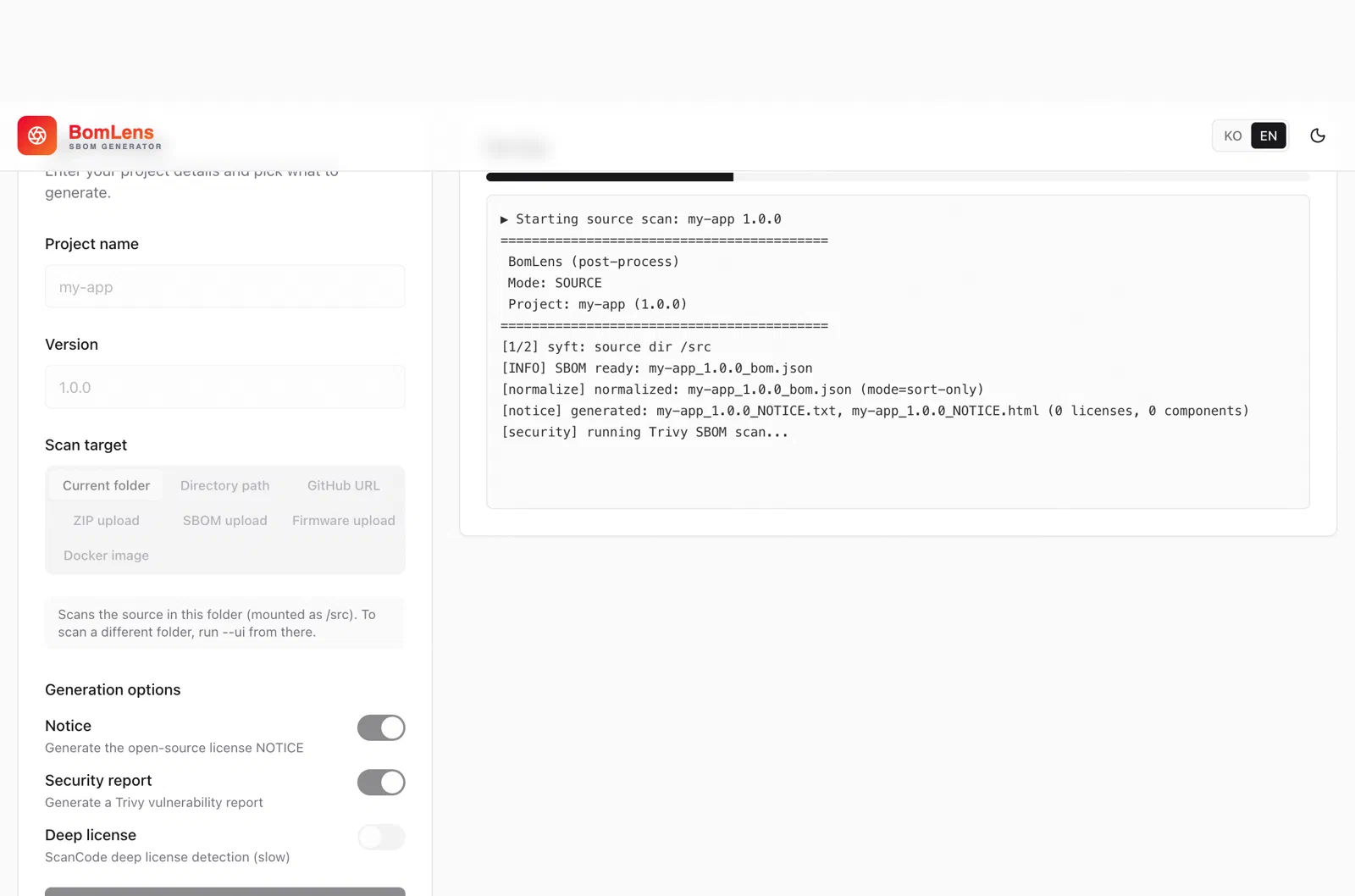
In the web UI, the progress log is shown in real time on the right, and you can download the deliverables when it finishes.
Quick Start (CLI)
On macOS and Linux, download and run the latest release’s bomlens-cli-linux.tar.gz (bomlens-cli-windows.zip on Windows). Downloading only the scan-sbom.sh file will not run on its own; it uses other files from the same archive.
tar -xzf bomlens-cli-linux.tar.gz
cd /path/to/my-project
/path/to/scripts/scan-sbom.sh --project "MyApp" --version "1.0.0" --all --generate-only
--generate-only creates files only locally, without submitting them (recommended until submission).
For the web UI, run ./scripts/scan-sbom.sh --ui (the browser opens http://localhost:8080).
On Windows, run the same commands through scripts\scan-sbom.bat (it forwards them via Git Bash, so Git for Windows is required).
For other input forms such as a GitHub URL, source ZIP, Docker image, firmware, or binary, and the full set of options, see the CLI reference.
Learn More
The authoritative source for using the tool is the repository documentation.
Explains how to generate an SBOM for each environment using general-purpose open source tools.
With Docker installed, BomLens alone can scan source code, container images, server rootfs, executables, and firmware. Consider reviewing it first instead of installing and combining the open source tools below individually.
Tool Selection Guide
graph TD
    A{{"Classify the supplied software"}}

    subgraph G1["Software delivery"]
      direction LR
      T1["Source code / app<br>(e.g., OSS/BSS, portals, middleware)"]
      T2["Executable / library<br>(e.g., .jar, .dll, .so)"]
      T3["Firmware with no OS<br>(e.g., bare-metal / RTOS devices)"]
    end

    subgraph G2["Delivery including an OS (e.g., Linux)"]
      direction LR
      T4["Container image<br>(e.g., CNF, containerized network function)"]
      T5["Server / VM image<br>(e.g., VNF, server appliance)"]
      T6["Firmware with an embedded OS<br>(e.g., base stations, routers, OLT/ONT, set-top boxes)"]
    end

    %% Left: source-code scan with an inner box
    subgraph M1["Scan the source code"]
      M1_Sub["BomLens or cdxgen"]
    end

    %% Right: source + OS image scan with inner boxes (stacked vertically)
    subgraph M2["Scan source + OS image"]
      direction TB
      M2_Top["OS (e.g., Linux) scan<br>(BomLens or Syft/Trivy)"]
      M2_Bottom["Source code scan<br>(BomLens or cdxgen)"]
    end

    A --> G1
    A --> G2

    %% Connect only to the group borders (one arrow per box)
    G1 --> M1
    G2 --> M2

    %% Groups flow to the next step
    M1 --> P(["Submit the SBOM"])
    M2 --> P

    classDef start fill:#F2F2F2,stroke:#171717,color:#171717,stroke-width:1.5px
    classDef typebox fill:#ffffff,stroke:#c8c8c8,color:#171717,stroke-width:1px
    classDef submit fill:#F2F2F2,stroke:#171717,color:#171717,stroke-width:1.5px

    %% White inner-box styles (left/right border colors)
    classDef subwhite_left fill:#ffffff,stroke:#00A651,color:#171717,stroke-width:1px
    classDef subwhite_right fill:#ffffff,stroke:#68127A,color:#171717,stroke-width:1px

    class A start
    class T1,T2,T3,T4,T5,T6 typebox
    class M1_Sub subwhite_left
    class M2_Top,M2_Bottom subwhite_right
    class P submit

    style G1 fill:#F1FAF5,stroke:#00A651,stroke-width:1px,color:#0A5A32
    style G2 fill:#FAF4FB,stroke:#68127A,stroke-width:1px,color:#4A0D57

    %% Outer group boxes keep their fill and border colors
    style M1 fill:#D9F0E4,stroke:#00A651,stroke-width:1px,color:#0A5A32
    style M2 fill:#EEDCF3,stroke:#68127A,stroke-width:1px,color:#4A0D57
Source code and apps, executables or libraries, and firmware with no OS are all scanned from the source code you developed with BomLens or cdxgen. Scanning a finished binary directly yields no package manager metadata, so purls are omitted and the SBOM is rejected.
When you ship an OS or base image as part of the delivery (a container image, a server, or firmware with an embedded OS), split it into two layers, scan each, and submit them together. Scan the image or rootfs as delivered with BomLens or Syft/Trivy for the OS layer, and the source code (the app layer) with BomLens or cdxgen. The per-layer commands and the file naming rule are in Server delivery below.
If you supply commercial software or a finished product made by a third party and have no access to the source code, obtain the SBOM from the manufacturer instead of scanning. See Commercial Software.
Major Tools
BomLens (provided by SK Telecom)
BomLens is an SBOM generation tool built by SK Telecom. It scans source code, container images, server rootfs, executables, and firmware with a single Docker container, instead of installing the open source tools below individually. It also includes features tuned for SK Telecom’s submission criteria, such as automatically filling in the top-level component name and self-checking the SBOM (a conformance report) before submission.
Before submission, verify against SK Telecom’s own review criteria (100% PURL coverage and more) with the --conformance-profile skt-submission option. See the Validation Checklist for details. If a scan errors out or the result looks wrong, check Common Rejection Reasons for a similar case first.
Usage: BomLens (on Windows, use scripts\scan-sbom.bat or the desktop app instead of scan-sbom.sh; installation is covered on that page too)
cdxgen statically parses lockfiles and manifests. For accurate results, run it when dependencies are installed or resolved (a lockfile is present, or after a build). Scanning pure source without resolved dependencies may omit some components or purls.
Syft (container image and binary analysis)
Analyzes built container images and build artifacts that include package manager metadata to identify both OS packages and application libraries. Supports CycloneDX and SPDX formats.
Recommended analysis targets: built Docker images, OCI images, tar files
Warning — Do not scan installation directories or collections of raw files (PURL omission causes full rejection)
If you use syft dir: mode to scan an installation directory or a collection of binaries that has no
package manager metadata (package.json, go.mod, *.jar, RPM/DEB package DB, etc.), Syft cannot
identify the ecosystem and produces an SBOM with empty PURLs. Because SK Telecom’s system maps
vulnerabilities by PURL, such an SBOM fails matching entirely and is rejected.
# Recommended: scan a built image (PURL and ecosystem identified automatically)syft <image-name>:<tag> -o cyclonedx-json=sbom.json
# Not recommended: scan an installation directory or raw files (rejected due to missing PURL)syft dir:/root/nag_pkg # without package manager metadata, PURL count becomes 0
Immediately after generation, be sure to check the PURL count. See the Validation Checklist for how to verify.
Trivy (container image analysis)
An all-in-one tool that can perform container image analysis and vulnerability scanning together.
In March 2026, a supply chain attack occurred in which an attacker re-pointed existing release tags
of aquasecurity/trivy to inject malware. The GitHub release v0.69.4 (3/19) and the DockerHub images
v0.69.5 and v0.69.6 (3/22) have been confirmed as compromised, so please stop using them.
To use Trivy safely, follow these principles.
GitHub Actions: Use a pinned commit SHA or a verified version tag instead of mutable tags (@master, @latest, @v1, etc.).
# Recommended: pin to a verified version- uses:aquasecurity/trivy-action@0.35.0# Safer: pin to a commit SHA- uses:aquasecurity/trivy-action@<commit-sha>
Docker images: Specify a particular version tag, or pin to an image digest (@sha256:...).
docker run aquasecurity/trivy:<verified-version> image <target-image>
This incident shows that if you do not pin versions when adopting an open source tool, you can be exposed to a supply chain attack at any time. Always specify the version of every external tool and verify its integrity before use.
Language-Specific Dedicated Plugins
Using a build tool plugin lets you extract more accurate dependency information.
This applies when you deliver something that includes an OS or base image (a server, a container image, or firmware with an embedded OS). Generate each of the two layers and submit them together.
Layer
Target
Symptom if missing
OS
The operating system and every installed package (for example RHEL and every package in the rpm database)
OS vulnerabilities omitted
Application
The delivered application and its package manager dependencies (direct and transitive)
App dependencies omitted
Scan the two layers separately
For the OS layer, target the server’s rootfs (the extracted root filesystem) or its container image. Syft reads the package database (rpm/dpkg/apk) and identifies every installed package with a real purl (pkg:rpm/...). The target must be the state delivered after the build, not the original base image you received, because it must include the OS packages installed during the build. Scanning a folder that only holds unpacked installation files with no package database yields empty purls and is rejected.
The target must be the root of the rootfs. Point Syft at a subdirectory and it still reads the package database, but it cannot determine the distribution. Syft takes the distribution from /etc/os-release inside the target and writes it into each purl. A correct result looks like pkg:rpm/rhel/bind@9.11.36-16.el8_10.6, with the distribution between the type and the package name. When that slot is empty, the SBOM passes format validation but SK Telecom’s system cannot identify the packages, so every OS package fails to match and the submission is rejected. Confirm that this file is present in the target before you scan.
Warning: do not point --target at a release folder that only wraps the rootfs
If your delivery has the rootfs nested one level inside a release folder, like release-20260919/rootfs/, pointing BomLens’s --target at that release folder (the rootfs’s parent) is not recognized as a rootfs. It silently falls back to a plain source scan. The resulting SBOM has almost no components, and the generic “0 components” warning in the log does not tell you the cause was an unrecognized rootfs. Either point --target at the rootfs folder itself, or compress the whole release folder as a .tar.gz or .zip (an archive is searched a level or two deep automatically, so a nested rootfs inside it is still found).
# First confirm the target carries distribution informationcat /path/to/server-rootfs/etc/os-release
# With BomLens (point it at the rootfs directory directly; it also fills in the top-level component name)./scan-sbom.sh --project myserver-os --version 1.0.0 --target /path/to/server-rootfs --generate-only
# To use an open source tool directly instead: against a rootfs directorysyft dir:/path/to/server-rootfs -o cyclonedx-json=myserver-os_1.0.0_bom.json
# If the server is packaged as a container image (BomLens takes the image name as the target directly)./scan-sbom.sh --project myserver-os --version 1.0.0 --target myserver:7 --generate-only
syft myserver:7 -o cyclonedx-json=myserver-os_1.0.0_bom.json
For the application layer, scan the application source after the build is complete. With a package manager (Maven, npm, pip, Go modules, Conan, and so on), transitive dependencies are resolved automatically.
cd /path/to/app-source
cdxgen -o myserver-app_1.0.0_bom.json
# Or with BomLens./scan-sbom.sh --project myserver-app --version 1.0.0 --target /path/to/app-source --generate-only
The OS-layer scan sometimes picks up dependencies installed as files, such as Python or Node.js packages. Generate the application layer anyway. A C/C++ application that vendors its libraries into the source is not identified by the OS-layer scan at all.
Scanning only the application source drops the OS packages entirely
Server deliveries repeatedly arrive with only the application source tree scanned. In that case not a single installed rpm package is included, so upgrading the OS never shows up in the SBOM. Confirm that you generated both layers.
Firmware with an embedded OS (base stations, routers, and similar)
Firmware that embeds an OS, such as a base station, router, OLT/ONT, or set-top box, follows the same two-layer structure above. For the OS layer, target the whole firmware image file and use BomLens’s --firmware option.
If a separate application runs on top of an embedded Linux, scan its source the same way as the “application layer” above. If the firmware image already bundles the application, the OS-layer scan alone may be enough.
Submit each layer
Submit the per-layer SBOMs as they are, without merging them. SK Telecom’s system registers each SBOM document as one scan unit and treats the documents registered against the same product version as a single combined list. The layers may even use different formats.
Each file needs its own name, and a resubmission must reuse the same name. The SBOM document name is the identity of the scan, so a changed name leaves the previous submission in place and vulnerabilities you have already fixed keep being counted. A suffix naming the layer is safe because it does not change on resubmission, but do not append a sequence number for the submission round.
Layer
Example file name
OS
myserver-os_1.0.0_bom.json
Application
myserver-app_1.0.0_bom.json
The layer is distinguished by a suffix on the --project value (-os, -app). BomLens always produces {project name}_{version}_bom.json, so give each layer a different --project (e.g. myserver-os, myserver-app) when generating both with BomLens. Running it twice with the same name produces the same file name, so the later run overwrites the earlier one’s output. When you generate a layer directly with cdxgen or Syft, match its output file name to the same convention (e.g. -o myserver-app_1.0.0_bom.json).
Record the same value as the leading part of the file name ({name}_{version}) for the top-level component name (metadata.component.name in CycloneDX, DocumentName in SPDX). BomLens fills this in automatically from --project/--version, so you do not need to edit it by hand. That value is the identifier that must be unique across all submissions. See the metadata section of Submission Requirements for details.
For how to decide the submission unit for a product with several nodes, such as a cluster, see the submission unit section of Submission Procedure.
Common Precautions
Verify the following before using a tool.
Transitive dependency inclusion: Generate the SBOM after the build (package installation) is complete so that transitive dependencies are included. Missing dependencies are grounds for rejection; for the per-language build commands to run first, see the dependency scope section of the Submission Requirements.
PURL inclusion: Verify that the generated SBOM includes a purl field for every component. SK Telecom’s system maps vulnerabilities based on PURL. For the verification commands and the regeneration procedure, see the Validation Checklist.
Output format: CycloneDX JSON format is recommended. (Use -o cyclonedx-json or an equivalent option)
Project information: Verify that the metadata accurately records the name and version of the delivered project.
4 - Submitting an SBOM for Commercial Software and Finished Products
How to obtain an SBOM from the manufacturer and submit it when you supply commercial software or a finished product made by a third party.
This document is for suppliers that deliver commercial software or finished products they did not develop. In this case the supplier has no access to the source code, so the source-scan approach in How to Generate an SBOM does not apply. Obtain the SBOM from the original manufacturer and submit it.
Scanning the delivered equipment or its installed image with a tool is not an alternative. The commercial software has no package manager metadata, so its components come out without purls, vulnerability matching fails, and the SBOM is rejected.
Scope
This applies when you supply third-party products in forms such as the following.
Commercial software resale: supplying licenses for packaged software developed by a third party (resellers, distributors)
Appliances and finished products: equipment shipped by the manufacturer with the OS and software preinstalled (e.g., storage, backup appliances, network equipment)
Systems that include third-party products: deliveries combining in-house components with commercial products
If part of the delivery is developed in-house, generate the SBOM for that part yourself following How to Generate an SBOM, and submit the manufacturer’s SBOM for the commercial part alongside it.
Obtaining the SBOM from the manufacturer
Request an SBOM in CycloneDX or SPDX format from the original manufacturer (or developer). With regulations such as US Executive Order 14028 and the EU Cyber Resilience Act in force, most global manufacturers now have a process for providing per-product SBOMs. Including the following in your request speeds up the response.
Format: CycloneDX JSON (recommended) or SPDX
Target: the exact model name and version of the delivered product
Coverage: if the product ships with an OS, the OS packages must be included
Whether and how quickly a manufacturer can provide an SBOM varies, so request it during contract review to stay on the delivery schedule.
Checking the received SBOM
An SBOM received from the manufacturer is reviewed by the same criteria as one you generate yourself. Before submitting, check the following.
Compliance with the Submission Requirements: standard format and version, metadata, component names and versions, purls
A product in which multiple nodes form one cluster (for example, distributed storage) is still submitted as one SBOM per product. For how to determine the SBOM unit, see the submission unit section of Submission Procedure.
If the manufacturer cannot provide an SBOM
If the manufacturer replies that it cannot provide an SBOM, contact opensource@sktelecom.com before generating and submitting one by other means.
Check the essential items before submitting an SBOM to prevent rejection.
Essential Checklist Items
An SBOM that does not pass the checklist below may be automatically rejected by the system. Items 2 through 4 can be checked at once with BomLens automated validation under Validation Tools below.
1. File Integrity
Is the file extension .json or .xml? (Not an archive file)
Is the file size at least 1KB, and the content not empty?
Are there any JSON syntax errors?
Check with the following command. It passes if this exits without error.
jq empty sbom.json &&echo"OK: valid JSON"
2. Required Data Fields
bomFormat: Is CycloneDX or SPDX specified?
Metadata: Are the name and version of the top-level component (the delivered project) accurate?
Components: Does the list of included libraries match the actual ones?
3. Dependency Completeness Check
Missing transitive dependencies are the most common reason for rejection. Be sure to verify the items below.
Are all direct dependencies (libraries explicitly declared by the project) included?
Are transitive dependencies (libraries that the direct dependencies use internally) included?
Did you complete the build (or package installation) before generating the SBOM? (e.g., npm install, mvn package, pip install)
Is the number of components reasonable? (If a project with only a few direct dependencies has fewer than 10 total components, transitive dependencies have likely been omitted)
Did you scan a Maven or Gradle project with Syft alone? Syft reads only what pom.xml or the build script declares directly, so transitive dependencies are lost. Use cdxgen or a language-specific CycloneDX plugin.
Are npm development dependencies missing when you need them? Syft excludes them by default; set SYFT_JAVASCRIPT_INCLUDE_DEV_DEPENDENCIES=true to include them.
For a server delivery, are the OS packages included? Scanning only the application source drops every installed rpm/dpkg package. See the server delivery section of How to Generate an SBOM for the procedure.
4. Identifier (PURL) Check
SK Telecom’s system maps vulnerabilities by PURL. This is the most important item.
Does every component (components) object contain a purl field?
Does the number of components with a PURL match (or come close to) the total component count?
Does the PURL format follow the standard (pkg:type/namespace/name@version)?
Is every PURL type one that the Package URL specification defines? A type invented by a tool (for example pkg:applications/) passes format validation, but it names no repository to query, so matching fails.
For types that require a namespace (maven, golang, github, composer, swift, rpm, deb, apk, and others), is that slot filled? For Maven the groupId must occupy its own slot, as in pkg:maven/org.slf4j/jcl-over-slf4j@2.0.15; joining it to the name, as in pkg:maven/org.slf4j.jcl-over-slf4j@2.0.15, is rejected.
Is the namespace free of company names and website addresses? A vendor string placed in the groupId slot, as in pkg:maven/The%2BApache%2BSoftware%2BFoundation/poi@5.4.1, produces a coordinate that does not exist in the repository.
Are special characters within the PURL correctly encoded?
Does the PURL point at the same distribution and version as what is actually installed? For example, if a RHEL server is declared as pkg:deb/debian/..., the format is valid and matching succeeds, but vulnerabilities are reported for components unrelated to the real system.
For rpm/deb/apk packages, is the distribution in the namespace (between the type and the package name)? If it only appears in a query parameter (?distro=...), it is not recognized and is rejected the same way as an empty namespace.
Did a binary scan produce components with no PURL? Syft’s binary catalogers can leave entries with no PURL when the ecosystem cannot be determined. Remove those entries or replace them with the real components.
Use the commands below to check the PURL count directly. The total component count and the PURL-bearing count should be equal.
# CycloneDX — the two values should be equaljq '.components | length' sbom.json # total component countjq '[.components[] | select(.purl)] | length' sbom.json # count with a PURL# SPDX — number of packages that have a PURL (externalRef)jq '[.packages[] | select(.externalRefs[]?.referenceType == "purl")] | length' sbom.json
# CycloneDX: count of identifiers whose type requires a namespace but has none (should be 0)# catches both a missing rpm/deb/apk distribution and a missing Maven groupIdjq '[.components[] | (.purl // "")
| select(test("^pkg:(alpm|apk|bitbucket|composer|deb|git|github|golang|huggingface|maven|qpkg|rpm|swift|vscode-extension)/[^/@?#]+([@?#]|$)"))
] | length' sbom.json
# CycloneDX: print any type not defined by the spec (nothing should be printed)curl -sO https://raw.githubusercontent.com/package-url/purl-spec/main/purl-types-index.json
jq -r --slurpfile ok purl-types-index.json '
[.components[] | (.purl // "") | select(startswith("pkg:")) | capture("^pkg:(?<t>[^/@?#]+)").t]
| unique - $ok[0] | .[]' sbom.json
If the PURL-bearing count is 0 or significantly lower than the total component count, do not submit. For the cause and how to regenerate, see Common Rejection Reasons.
Validation Tools
BomLens Automated Validation (Recommended)
The SBOM analysis feature of BomLens automatically checks the Submission Requirements, covering items 2 through 4 of the checklist above. Version 1.8.0 or later is required.
Running it produces a conformance report (my-app_1.0.0_conformance.html) in the my-app_1.0.0/ folder. The report automatically verifies the following items.
Run this same check even when you generated the SBOM with BomLens yourself — just feed the SBOM you just created into --analyze. Generation and validation are kept as separate steps rather than one, because a freshly generated SBOM grading itself catches fewer mistakes than a separate re-check.
Check
Checklist Item
Spec version range (CycloneDX 1.3–1.7, SPDX 2.2–2.3)
2. Required Data Fields
Creation timestamp, generating tool, top-level component name and version
2. Required Data Fields
Name and version of every component
2. Required Data Fields
Direct and transitive dependencies included
3. Dependency Completeness Check
PURL coverage, standard format (pkg:type/name@version), no pkg:generic, a type the specification defines, and the namespace for types that require one
4. Identifier (PURL) Check
License and hash coverage (recommended items)
—
The table above describes BomLens v1.12.1 and later. If you validate with an earlier release and your SBOM is CycloneDX 1.7, or uses maven and other types that require a namespace, check those with the jq commands above as well.
If the result is fail, the report lists which components fall short on which item, so you can fix those parts, regenerate the SBOM, and validate again. The same validation is available in the web UI (run with --ui and upload the SBOM).
Before submitting, add --conformance-profile skt-submission to the command above to apply the same stricter thresholds SK Telecom’s review uses: 100% PURL coverage and no pkg:generic identifiers. The web UI’s submission-review screen already applies this profile by default, so the flag only matters when you run the CLI directly.
An online tool that checks whether a CycloneDX file conforms to the standard schema. It is useful for quickly checking JSON syntax and format errors (checklist item 1) without installing anything. However, it performs schema validation only — passing it does not mean items 2 through 4 (required fields, dependency completeness, PURL) are met. It cannot check SPDX files.
BomLens: A tool that generates an SBOM meeting the checklist items
6 - SBOM Submission Process
Explains the submission channels for the prepared SBOM file, the email template, and the post-submission process.
1. Submission Unit
The submission unit is one delivered product. A product where several nodes form one cluster is no exception; you do not need one per node.
If all nodes have the same configuration, generate from a single representative node and submit that.
If the installed software differs by node role (for example a management node and a storage node), generate per role and submit them together.
One product may come with several SBOM files. A server generated as separate layers is submitted with the files as they are, not merged, and SK Telecom’s system treats the documents registered against the same product version as a single combined list. Each file needs its own name, and a resubmission must reuse the same name. For the naming rule, see the submit each layer section of How to Generate an SBOM.
2. When to Submit
At initial delivery after concluding a software contract
When a major or minor version of the software is updated
When a regular submission schedule specified in the contract arrives
3. How to Submit
The SBOM file is submitted to SK Telecom’s business unit and security team representatives via email (or a channel designated by the representative).
Attachment: The generated SBOM file (password-protected archive files are not allowed)
Required information in the body:
Delivery contract number
Representative information (name, department, contact)
Project information (system name, detailed version)
Tool used and its version (e.g., BomLens, cdxgen)
4. Post-Submission Validation and Actions
The submitted SBOM is registered in TOSCA, the internal open source and SBOM management system, and then validated according to the procedure below. TOSCA is an internal system, so suppliers do not need access to it.
Stage
Description
Processing Deadline
Format validation
Check for missing required fields. Notify of rejection if not met
Within 3 days of receipt
Security vulnerability analysis
Automatically analyze whether Critical/High severity vulnerabilities are detected
-
Action request
Request a patch plan or a written justification when serious vulnerabilities are found
Critical: 7 days / High: 30 days
The validation results and action requests are communicated to the supplier and the security team representative through the business unit representative.
The typical reasons a submitted SBOM is rejected, their causes, and how to fix them.
Submitted SBOMs go through format validation and vulnerability analysis, and are rejected if they fall short of the criteria. Below are the rejection reasons that come up repeatedly in actual intake. Review them together with the Validation Checklist before submitting.
A rejection only ever means a format or completeness issue with the SBOM; fix it as described below and resubmit.
Rejection Reasons at a Glance
Rejection reason
Main cause
How to fix
All PURLs missing
Scanning an installation directory or raw files with no package manager metadata (syft dir:, etc.)
Top-level component name collides with another submission
The generation tool fills in a fixed value instead of the product name (e.g., empty, ., /scan)
Change the metadata component name to a unique value that identifies the device or product, then resubmit. Submission Requirements
Representative Cases
Case 1: All PURLs missing from an installation-directory scan
A supplier scanned an installation directory lacking package manager metadata with syft dir:<install directory> and submitted an SBOM in which almost none of the components had a purl; nearly all vulnerability matches failed and the SBOM was rejected outright. When you scan a location without package manager metadata (package.json, go.mod, an RPM/DEB package DB, etc.), the tool cannot identify the ecosystem.
Change the scan target to a built image or the source code, and check the purl count right after generation. The verification commands are in the Validation Checklist.
Case 2: Transitive dependencies missing from a pre-build scan
If a project has several direct dependencies but the SBOM has fewer than 10 components in total, suspect missing transitive dependencies. A typical web application yields tens to hundreds of components once transitive dependencies are included. Completing the build first (npm install, mvn package, and the like) and then generating resolves this.
Case 3: A generation tool fills the top-level component name with a fixed value, colliding with another submission
A supplier submitted a CycloneDX SBOM generated with a manufacturer-provided SBOM generation tool, and it was rejected because the name collided with an SBOM for a different device that had already been registered. On inspection, this tool always fills metadata.component.name with the same fixed value, regardless of which device it scanned. SBOMs for other devices generated with the same tool keep producing that same value, so each one collides with whatever was registered first.
When using a tool like this, open the SBOM in a text editor and manually change the metadata.component.name value (CycloneDX) or the top-level name value (SPDX) to something that identifies the device before submitting.
Case 4: OS packages omitted and PURLs declared for a different distribution
The SBOM for a RHEL server product was generated against the application source tree only, so it was submitted without a single installed rpm package. On top of that, libraries bundled in the source were declared as Debian source packages, such as pkg:deb/debian/libpcap@1.1.1-2+squeeze1. The generating tool had used source file names as a clue and attached whichever Debian package ships a file of that name.
This type passes format validation. The purl points at a package that really exists, so matching succeeds and no error appears on screen. Yet the vulnerabilities reported belong to components unrelated to the real server, and upgrading the OS changes nothing in the result.
Scan the rootfs or image as delivered so that the OS packages are included, and declare libraries bundled in the source with their real versions. See the server delivery section of How to Generate an SBOM for the procedure.
Case 5: The distribution appeared in a query parameter instead of the namespace
For a server product running a self-built Linux distribution, the rpm package PURLs in its SBOM carried the distribution value as a query parameter after the question mark, e.g. pkg:rpm/bind@9.11.36?distro=customdistro-1.0. The tool had identified the distribution, but recorded it in the auxiliary-info slot instead of the required namespace.
That value is not used for vulnerability matching, so the entire set of rpm packages for that server failed to match and the SBOM was rejected. Move the distribution value into the path (between the type and the package name) and regenerate as pkg:rpm/<distribution>/bind@9.11.36.
Case 6: Every format check passed, and 642 PURLs still failed to match
A supplier submitted a CycloneDX SBOM with 8,129 components. Every component carried a purl, so coverage was 100%; there was no pkg:generic; and no OS package was missing its distribution. The file passed every checklist item and automated criterion in force at the time. Yet 642 of its 2,785 unique purls failed to match when the repositories were queried.
Three separate causes were mixed together.
Missing namespace, 663 entries: identifiers such as pkg:maven/org.slf4j.jcl-over-slf4j@2.0.15, where the groupId and artifactId were joined by a dot into one slot. The form is valid and passes schema validation, but the coordinate does not exist in the repository.
A type not defined by the spec: pkg:applications/java@11.0.25 used an invented applications type. Because it is not generic, the existing prohibition did not catch it.
A vendor string in the namespace: pkg:maven/The%2BApache%2BSoftware%2BFoundation/poi@5.4.1 and pkg:maven/http%3A/www.jboss.org/jbossxts@1.1 placed a company name or a URL in the groupId slot.
None of the three is caught by schema validation, so check them directly with the PURL commands in the Validation Checklist before submitting.
The same file also contained identifiers such as pkg:maven/org.drools/org.drools.drools-core-dynamic@7.67.2.Final-redhat-00054, where the groupId is repeated in front of the artifactId; the real coordinate is org.drools:drools-core-dynamic. Unlike the three above, this one cannot be decided from the form alone, because plenty of valid coordinates do have an artifactId that starts with the groupId, such as org.drools:org.drools.updatesite and org.apache.felix:org.apache.felix.http.jetty. Eclipse plugins and OSGi bundles conventionally use the bundle symbolic name as the artifactId. The checklist therefore carries no item for this; confirming it means querying the repository for the coordinate.
What a Passing SBOM Looks Like
Download the example file that meets the acceptance criteria and compare its structure. Every component has a purl and a version, and the dependencies array captures both direct and transitive relationships.