AI Model Pre-Release Checklist
Check everything that has to be settled before a model goes public.
This page covers releasing a trained AI model (its weights). For source code, see Releasing Open Source. If you are consuming an external open source model rather than publishing one, see AI Model Licenses.
Releasing an AI model follows most of the same steps as releasing source code. You obtain organizational approval, confirm you have the right to publish, remove sensitive information, and assign someone to support the project afterwards. For those shared steps, follow the release process and the release rules.
This page covers only what differs because the artifact is a model.
| Aspect | Source code | AI model |
|---|---|---|
| What you publish | Source code | Weight files and a model card |
| Licensing | One license for the code | Model license and training dataset licenses, judged separately |
| Documentation | README, contribution guide | Model card covering intended use, limits, bias, evaluation |
| Sensitive material | Code and commit history | Also personal data and copyrighted works inside the training data |
| Regulation | Export control (ECCN) | Also the documentation duties of the EU AI Act and Korea’s AI Framework Act |
Training datasets are where teams most often get stuck. Even with the model license settled, the license of the data you trained on may restrict redistribution or commercial use. Check the two separately.
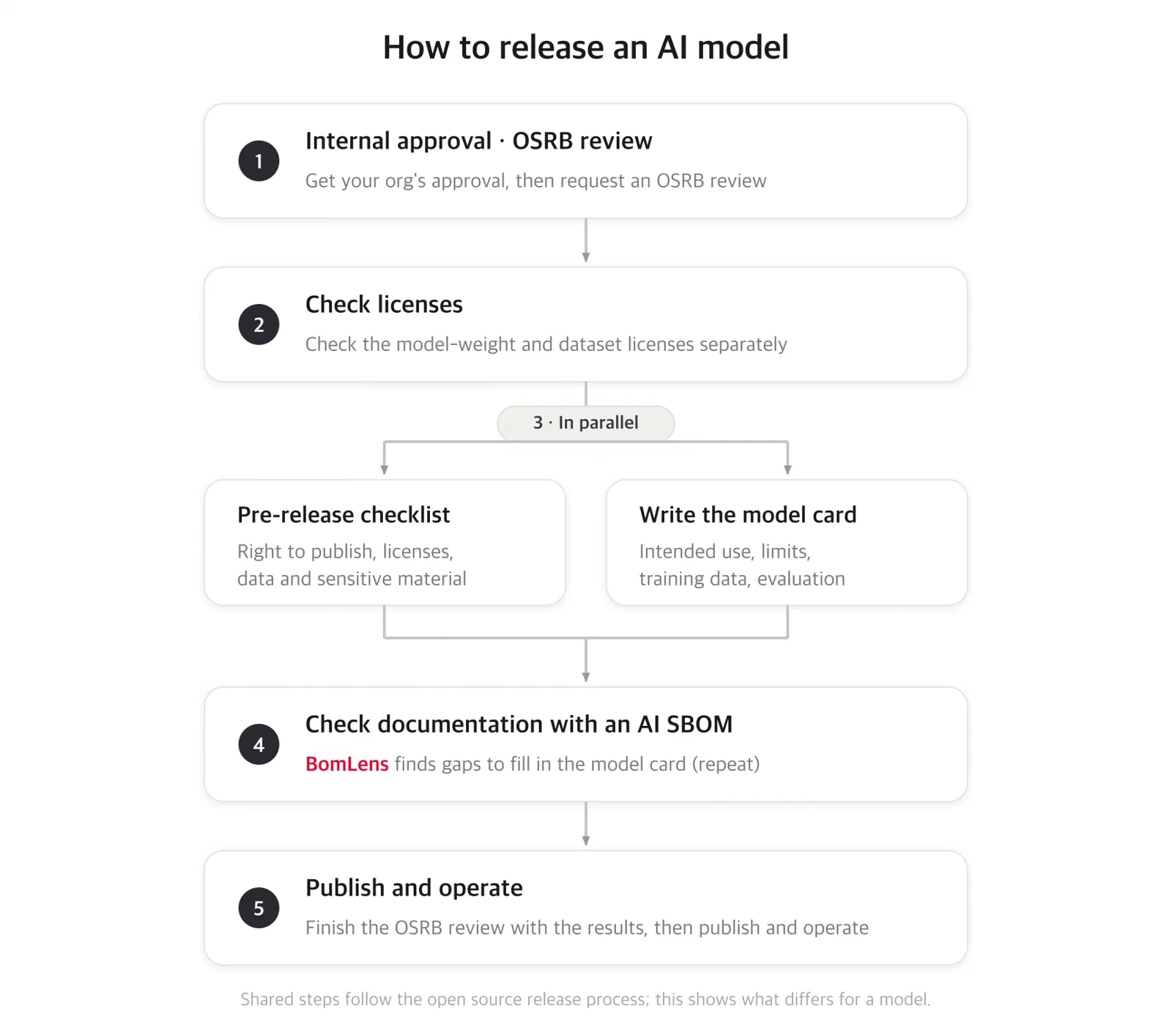
Stage D is written for source code going to GitHub. A model goes to your model development organization’s Hugging Face account rather than a personal one; everything else about operating it is the same. Ask your organization’s owner if you need access.
Work through the rights and data items on the pre-release checklist first. A private repository is still an upload to an outside service, and pushing weights that turn out to contain something you cannot publish is hard to undo.
After that, you can check the model yourself while the repository is still private. Push the
model privately and run BomLens, the SBOM generator, with your own Hugging Face token (HF_TOKEN);
it reports what is missing and how to fill it. Strengthen the model card with that result ahead of
time, and the OSRB review has the documentation it needs and goes more smoothly. The command to run
BomLens, how to prepare the token, and how to read the result are in AI SBOM.
For questions and review requests about releasing an AI model, contact the OSRB (opensource@sktelecom.com).
Check everything that has to be settled before a model goes public.
What a model card is and which fields you need to fill in.
Build an inventory of your model and check how far its documentation goes.
Was this page helpful?
Glad to hear it! Please tell us how we can improve.
Sorry to hear that. Please tell us how we can improve.