Copyright and License Notices in Files

Describes how to indicate copyright and license notices within files.

Copyright is created automatically when an author creates a work (since the Berne Convention). Every work is protected by copyright, and the copyright holder has exclusive rights to the work. Therefore, to allow others to use our works (source code, text, images, other media, etc.), we must grant them a license. The dictionary definition of a license is “permission obtained from a qualified authority to exercise a particular right,” and exercising such a right without that permission becomes an illegal act, such as copyright infringement.

Although a copyright notice is not required by law, it makes sense to include a copyright notice in source code files, considering that (1) most open source licenses require a copyright notice, and (2) users may want to contact the copyright holder for legal or technical reasons.

For every source code file that SK Telecom writes and releases as open source, give notice of the copyright and license in the following way.

Add a copyright notice containing the following information to the header at the top of the source code.

  • Copyright (or the © symbol)
  • The year first written
  • The name of the copyright holder
    • The copyright of a work authored by an SK Telecom member is held by SK Telecom. Therefore, write the company name. (SK TELECOM CO., LTD.)
    • If you plan to actively accept external contributions rather than developing solely within SK Telecom, you can also consider indicating the copyright information as “The [Project] Authors” and managing author information in an AUTHORS file.
  • Contact (Optional)
    • Users may want to contact the author for technical or legal inquiries. You can provide the author’s email information to respond to this. This is not required.
    • Alternatively, write contact information such as the URL of the project’s website where users can obtain information.

Indicate the copyright notice using the SPDX Tag (“SPDX-FileCopyrightText”), which is the method recommended by REUSE.software. An example is shown below.

SPDX-FileCopyrightText: Copyright 2021 SK TELECOM CO., LTD. <{$project-website-url}>

License Notice

It is also important to indicate what the license is for each source code file. To reduce confusion, indicate the license using the SPDX ID provided by the Linux Foundation’s SPDX project. Using an SPDX ID is simple.

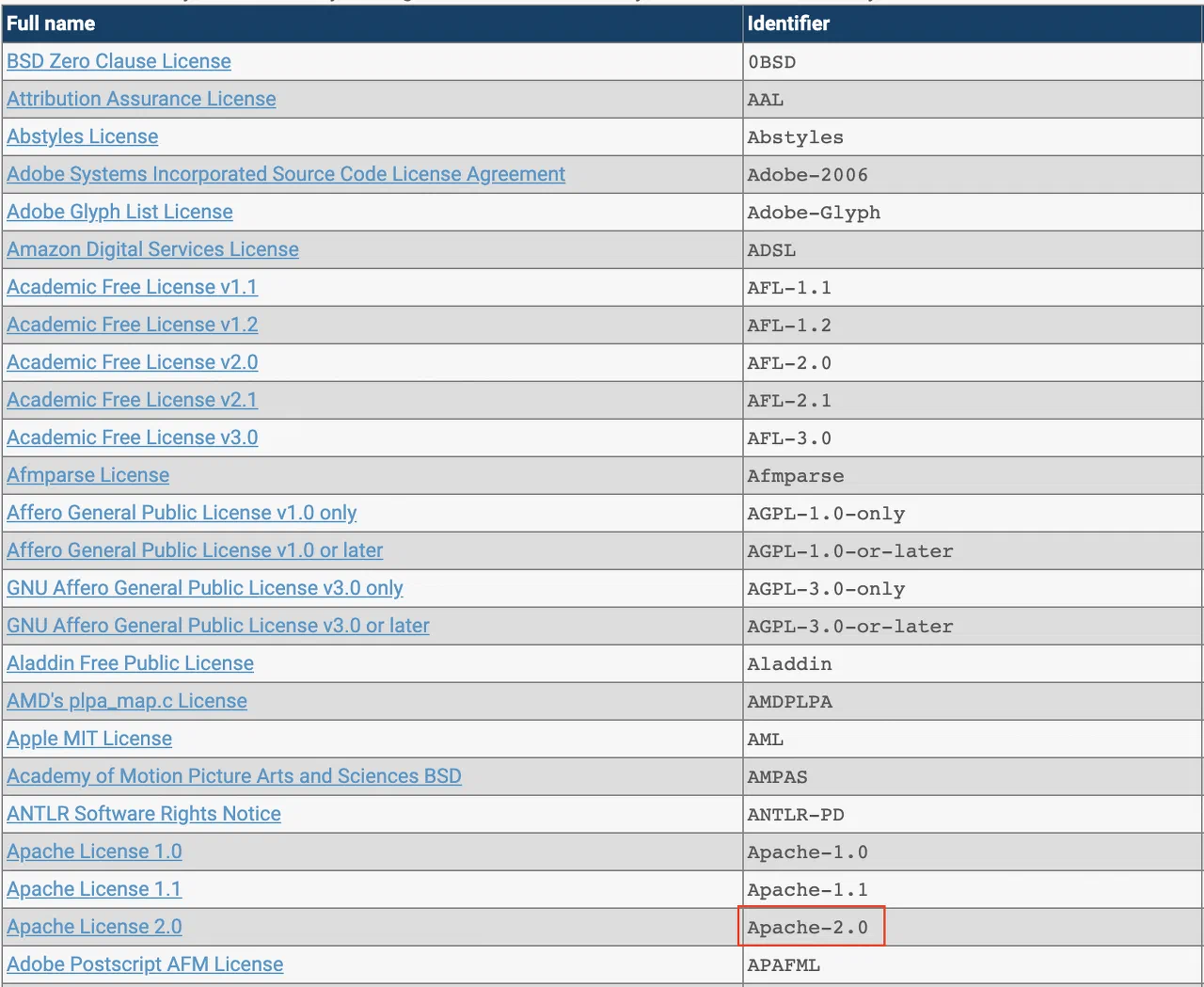
First, check the SPDX Identifier of the open source license you want to apply on the SPDX License List page. For example, the SPDX Identifier of Apache License version 2 is Apache-2.0.

license-list

Then, at the top of the source code file, indicate the license Identifier using a tag called SPDX-License-Identifier. An example is shown below.

SPDX-License-Identifier: Apache-2.0

Automation Tools

(The guide needs to be improved after the tools are enhanced to add the SPDX tag together: haksung@sk.com)

addlicense

  • addlicense: Automatically recognizes source files and adds copyright/license notices.
addlicense -c "SK TELECOM CO., LTD." -l apache [filename]

autogen

  • autogen: Automatically adds comments and code to new files.
autogen --no-code --no-tlc -c "SK TELECOM CO., LTD." -l apache [filename]

You can also apply this as a batch. The example below is a batch applied to Java files.

find . -type f -name \*.java -exec autogen -i --no-code --no-tlc -c \
  "SK TELECOM CO., LTD." -l apache {} \;